Vertiport Sizing and Capacity Tool



Before using the functionality of the PVC tab, you may want to check the value ranges of W and L across different layouts (using the VCA tab). With the default input setting, W takes a value between 60m and 150m, except for multi-function FATO, where W is 30m, and L takes a value between 84m and 360m, except for multi-function FATO where it can further extend to 772.5m.
If the area width is greater than double min W, OR its length is greater than double min L, you should try the double layout. Overall capacity constraint switches from gates to FATO at some point, and a further increase in throughput cannot be achieved by adding extra gates. Higher overall capacity can result in combining two layouts that would function independently.
You could split very large areas into 3 or 4 sub-areas. Before doing that, make sure it is needed, as a double layout may already allow high throughput (with a default input setting of 160 ops/h).
The PVC tab proposes vertiport layouts with the highest throughput under the smallest area. It does not aim to maximize the instantaneous number of eVTOLs placed at vertiport. To find an option with a maximum number of gates that can be fitted in the given area, please return to the VCA tab and search across all layouts to find a suitable solution.
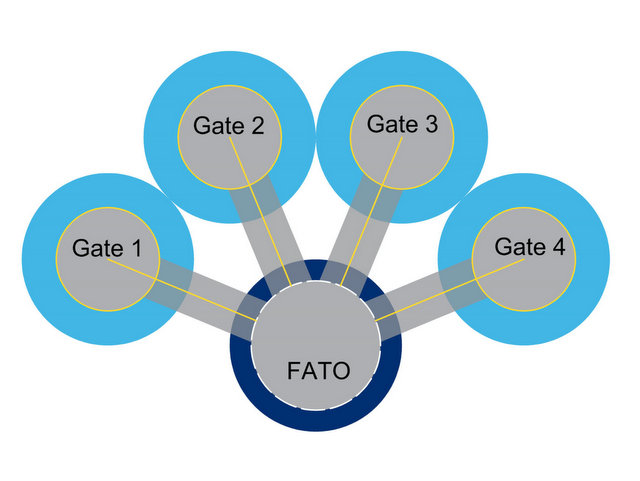
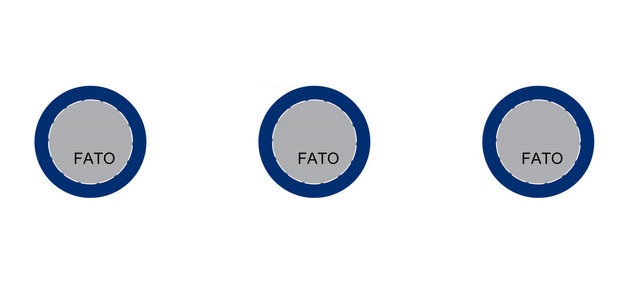
| Battery recharged for (%) | share of vehicles reqiring recharging | |
| 50 | ||
| 60 | ||
| 70 |
| Battery recharged for (%) | share of vehicles reqiring recharging | |
| 50 | ||
| 60 | ||
| 70 |
| Battery recharged for (%) | share of vehicles reqiring recharging | |
| 50 | ||
| 60 | ||
| 70 |
| Input parameters | |||||||
|---|---|---|---|---|---|---|---|
| eVTOL parameters | Vertiport layout | Charging scenario | |||||
| D [m] | Share for 50% batt recharge | ||||||
| Max Width (MW) [m] | FATO-FATO (F2F) [m] | Share for 60% batt recharge | |||||
| Seat Capacity (SC) | FATO-gate (F2G) [m] | Share for 70% batt recharge | |||||
| Vertiport ops | Passenger Processing | ||||||
| tarr [s] | Pax Disembarking [s] | ||||||
| tdep [s] | Pax Embarking [s] | ||||||
| teng [s] | Briefing [s] | ||||||
| taxi speed [km/h] | Rate of Charge [per min] |
| Single Area Parameters | |||||||
|---|---|---|---|---|---|---|---|
| Length 1 | |||||||
| Width 1 |
| Results | |||||||
|---|---|---|---|---|---|---|---|
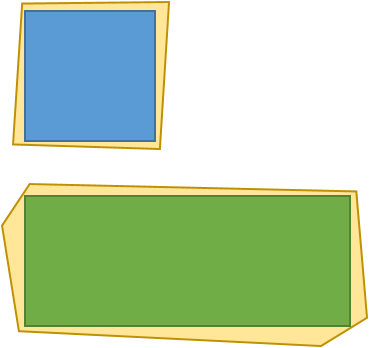
 |
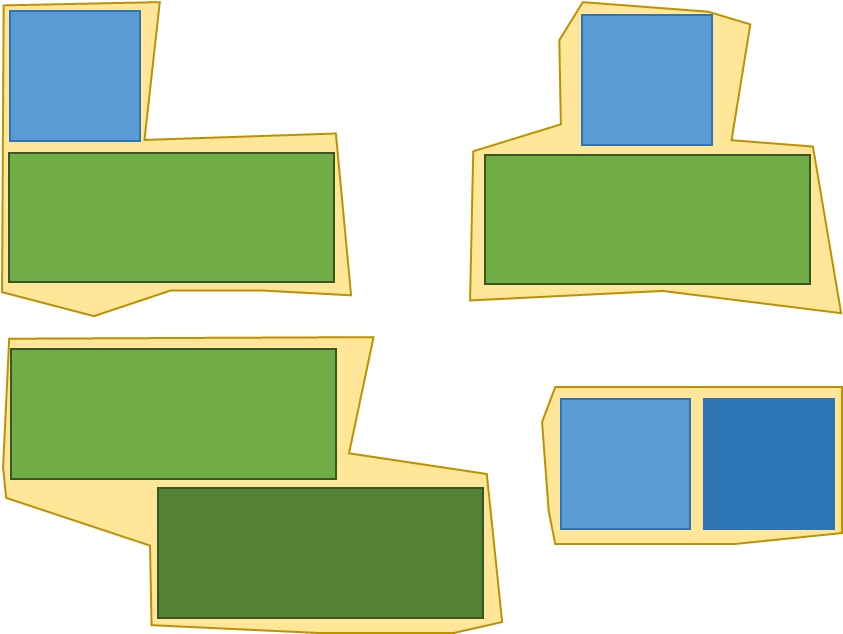
 |
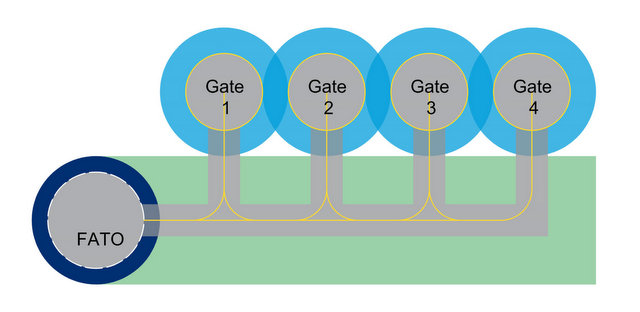 |
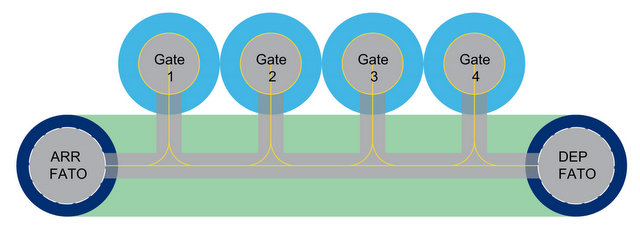 |
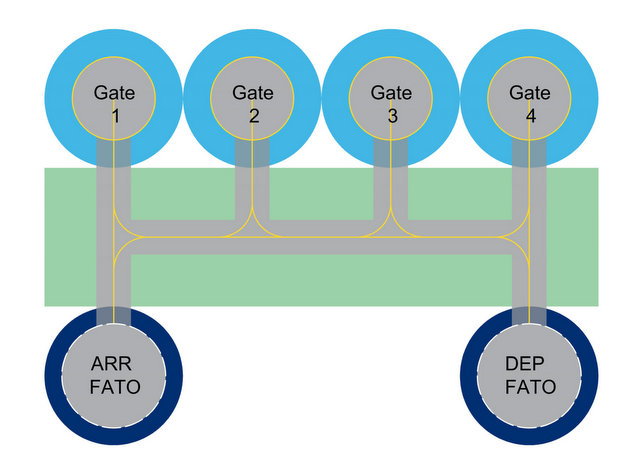 |
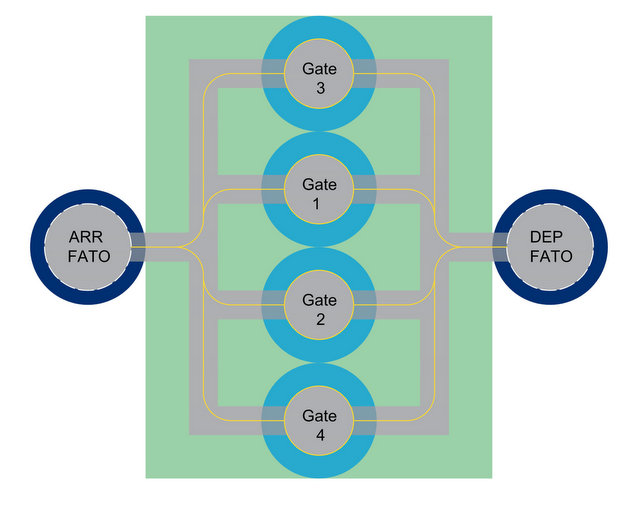 |
||
| Gates | |||||||
| Length [m] | |||||||
| Width [m] | |||||||
| Total Area | |||||||
| Capacity Overall |
| Input parameters | |||||||
|---|---|---|---|---|---|---|---|
| eVTOL parameters | Vertiport layout | Charging scenario | |||||
| D [m] | Share for 50% batt recharge | ||||||
| Max Width (MW) [m] | FATO-FATO (F2F) [m] | Share for 60% batt recharge | |||||
| Seat Capacity (SC) | FATO-gate (F2G) [m] | Share for 70% batt recharge | |||||
| Vertiport ops | Passenger Processing | ||||||
| tarr [s] | Pax Disembarking [s] | ||||||
| tdep [s] | Pax Embarking [s] | ||||||
| teng [s] | Briefing [s] | ||||||
| taxi speed [km/h] | Rate of Charge [per min] |
| First Area Parameters | |||||||
|---|---|---|---|---|---|---|---|
| Length 1 | |||||||
| Width 1 |
| Results | |||||||
|---|---|---|---|---|---|---|---|
|
|
|
|
|
|
||
| Gates | |||||||
| Length [m] | |||||||
| Width [m] | |||||||
| Total Area | |||||||
| Capacity Overall |
| Second Area Parameters | |||||||
|---|---|---|---|---|---|---|---|
| Length 2 | |||||||
| Width 2 |
| Results | |||||||
|---|---|---|---|---|---|---|---|
|
|
|
|
|
|
||
| Gates | |||||||
| Length [m] | |||||||
| Width [m] | |||||||
| Total Area | |||||||
| Capacity Overall |